 Winston AI
Meet Winston.
The AI that knows your maintenance.
Winston knows your ManWinWin. Ask in plain words and get exact answers from your own data, at your desk, on the shop floor or hands-free. In the Winston Help Center, learn ManWinWin with guides and videos and get support from our team.
Works with ManWinWin Desktop, Web and the mobile App, with learning and support always at hand.
See Winston in action
Two minutes to see how Winston helps your maintenance team every day.
Where Winston works
One Winston that adapts to where you are
The same intelligence, shaped for the website, for your desk and for the shop floor.

Winston Website
On manwinwin.com, Winston answers questions about ManWinWin and helps you book a demo.

Winston Desktop
Inside ManWinWin Desktop, for maintenance management: your data, alerts, insights and forecasts in one conversation.
Open Winston
Winston Mobile
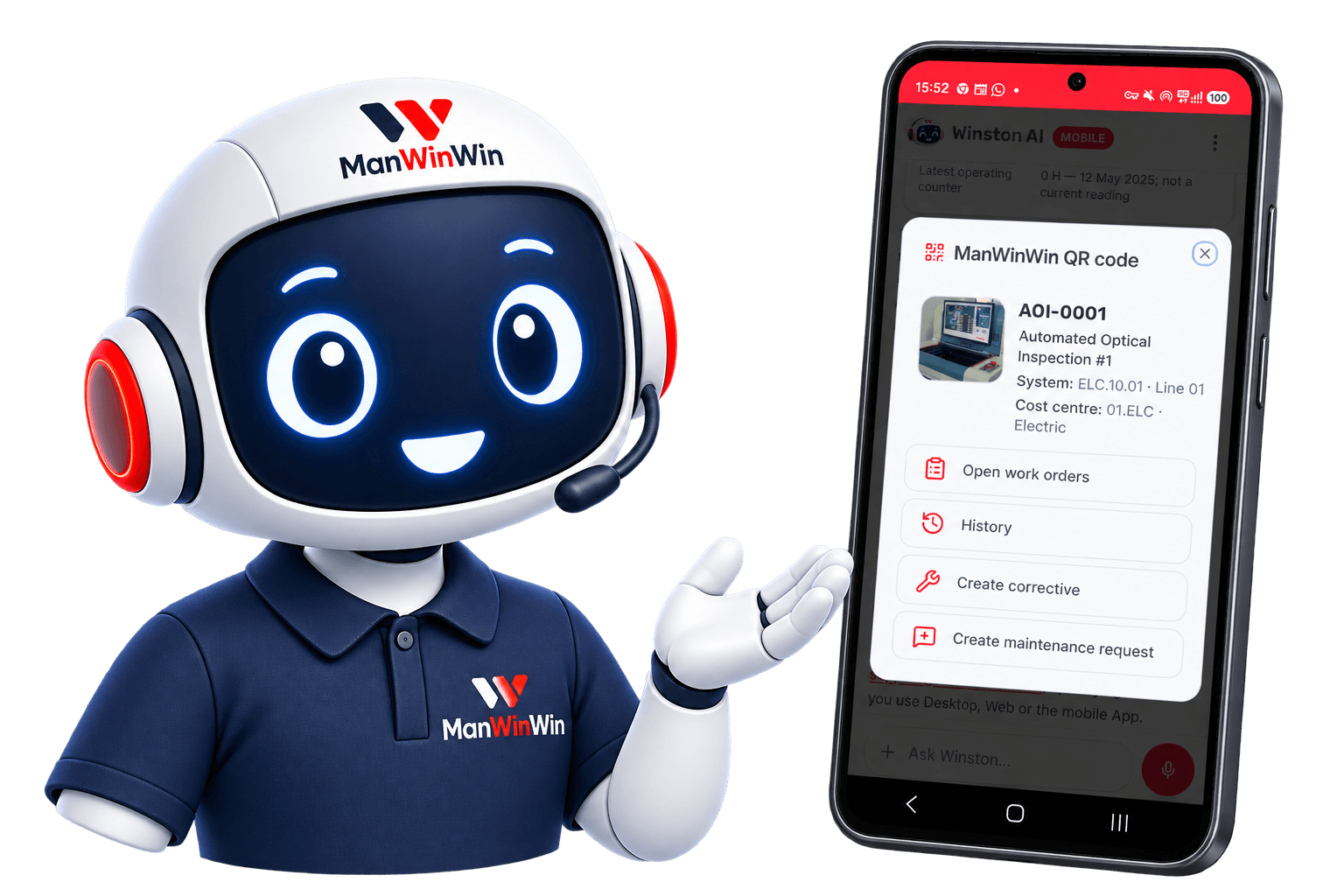
For ManWinWin Web and the App, for maintenance operations and requests: QR codes, photos, voice and step-by-step help next to the machine.
Open Winston
Winston Help Center
Learn ManWinWin for free with guides, videos and Winston as your tutor. Sign in to open support requests with screenshots and videos, followed by the ManWinWin team.
Open Help CenterGrowing every week
Winston is learning all of ManWinWin
From the plant to the stores and purchasing, Winston is getting to know every area of ManWinWin.
Capabilities
What Winston can do for you
Today's features, working on your real ManWinWin data.
Always learning, always improving. Winston gets new skills and knowledge every few weeks, so this list keeps growing.
For maintenance managers, inside ManWinWin Desktop
Winston Desktop
Your whole plant, one question away
Winston opens with what matters today — overdue work orders, equipment down, pending requests — taken straight from your ManWinWin.
- Exact work order counts by type, status and period
- Alerts and insights that find problems before you do
- Breakdown forecasts from your real history
- Diagnosis help using past repairs and the manuals
Winston AIManWinWin connectedAlert
Breakdown 000749 · AOI-0001
Insight
Repeated breakdowns on Line 01
Forecast
Wear-out phase · breakdown likely in 12 months
Winston Mobile
Your hands-free assistant on the shop floor
Winston Mobile goes wherever the technician goes. Scan, talk or snap a photo, and Winston finds the equipment and helps you get the job done.
Scan a QR code
Opens the equipment or the whole system at once, with its open work orders and full history.
Hands-free with Winston
Talk to Winston while you work, without touching the phone. It explains the steps one at a time, answers questions and helps you prepare work orders and requests by voice. Nothing is saved until you confirm.
Take a photo
Photograph a machine or its nameplate and Winston helps you find the equipment and describe the problem.
- Create a corrective work order on the spot
- Send a maintenance request without typing codes
- The screen stays on during hands-free
Winston Help Center
Learn ManWinWin and get support, in one place
A complete help center with Winston at its heart: free learning for everyone, and real support for ManWinWin customers.
Learning
Open to everyone, no sign-in
- 115 step-by-step guides with videos
- Clear indication of what exists in Desktop, Web and App
- Theory and best practices in maintenance management
- Winston answers and teaches each lesson in the chat
- In Portuguese, English, Spanish and Arabic
Support
For ManWinWin customers, with sign-in
- Winston helps you clarify the problem
- Send screenshots and short videos
- Winston writes the request, you confirm before sending
- All your company's requests in one list, with status: Pending, In analysis, In resolution, Resolved
- Every request is followed by people from the ManWinWin team
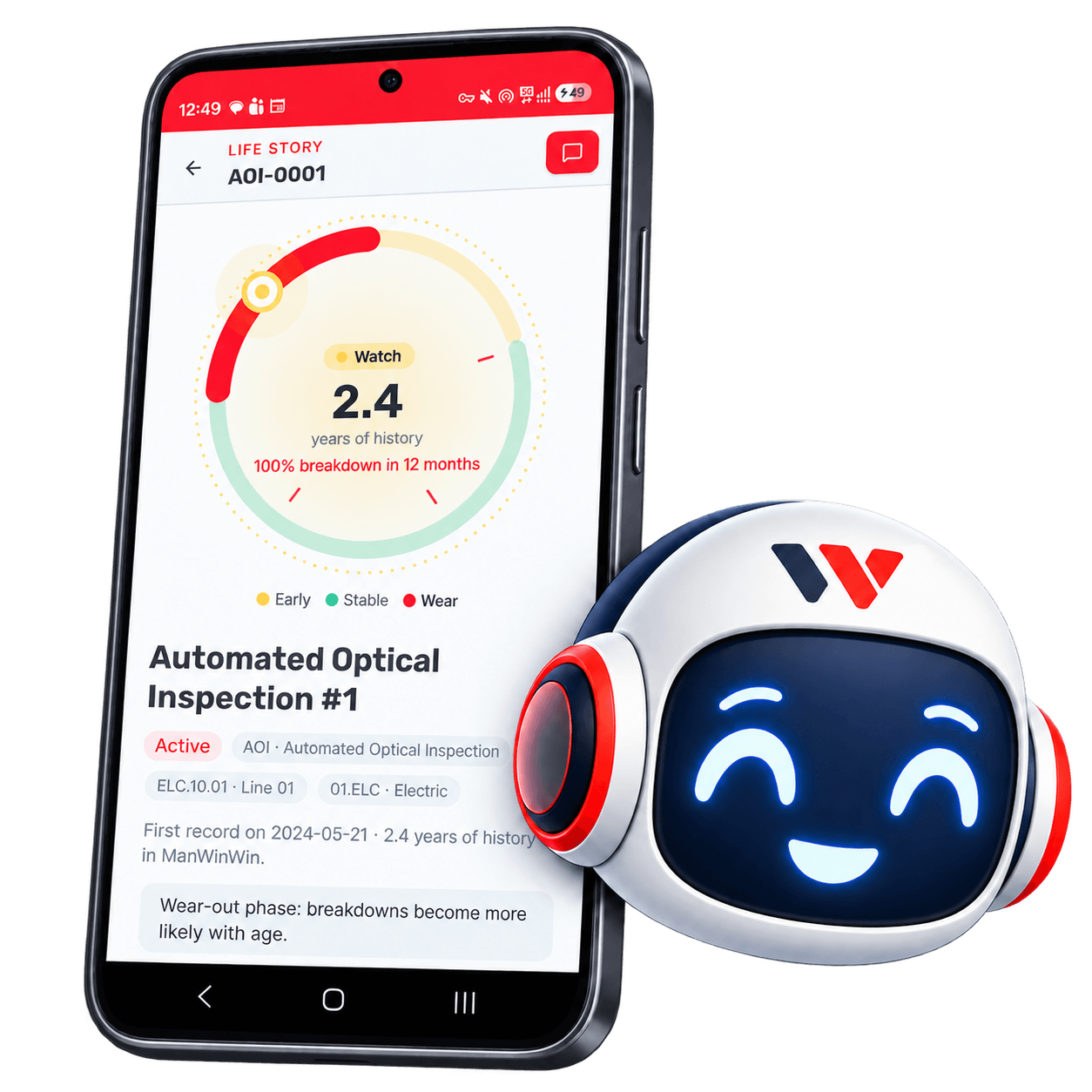
Life story
Know where every asset is in its life
Winston turns years of records into a clear picture: early, stable or wear-out phase, and the chance of a breakdown in the next 12 months.
- Life-cycle phase from real breakdown history
- Statistical forecasts — not guesses
- Advice on preventive plans you can act on
MTBF
Mean time between failures
MTTR
Mean time to repair
Timeline
Breakdowns, preventive, requests
Next
Likely breakdown window
Every day
Winston keeps you one step ahead
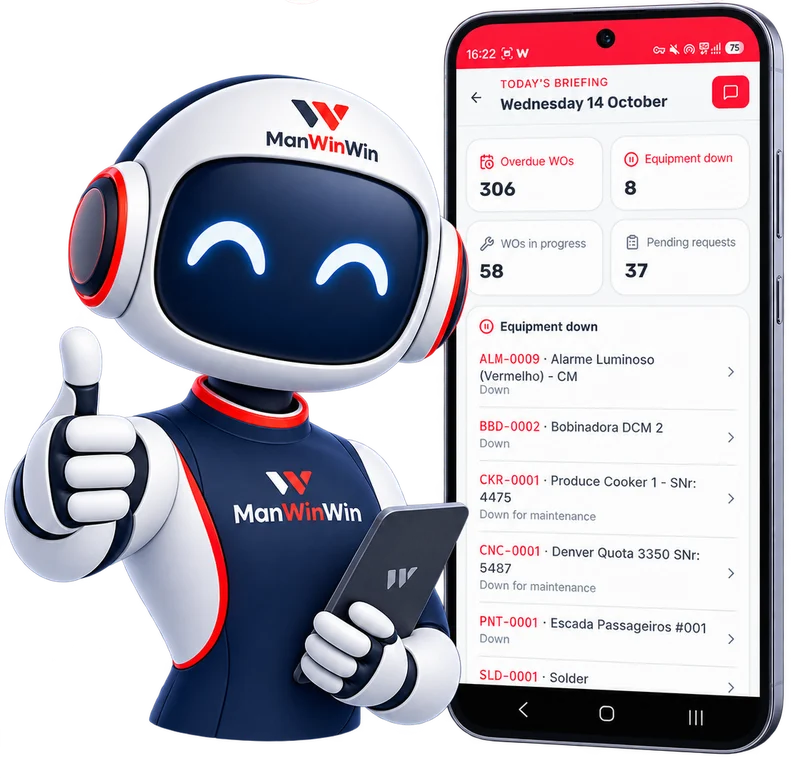
Today's Briefing
Start the day with one tap: overdue work orders, equipment down, work in progress and pending requests, straight from your ManWinWin. Tap any equipment to see the details.
- Live counts from your real data
- Equipment down listed with its status
- Ask Winston about any item right away
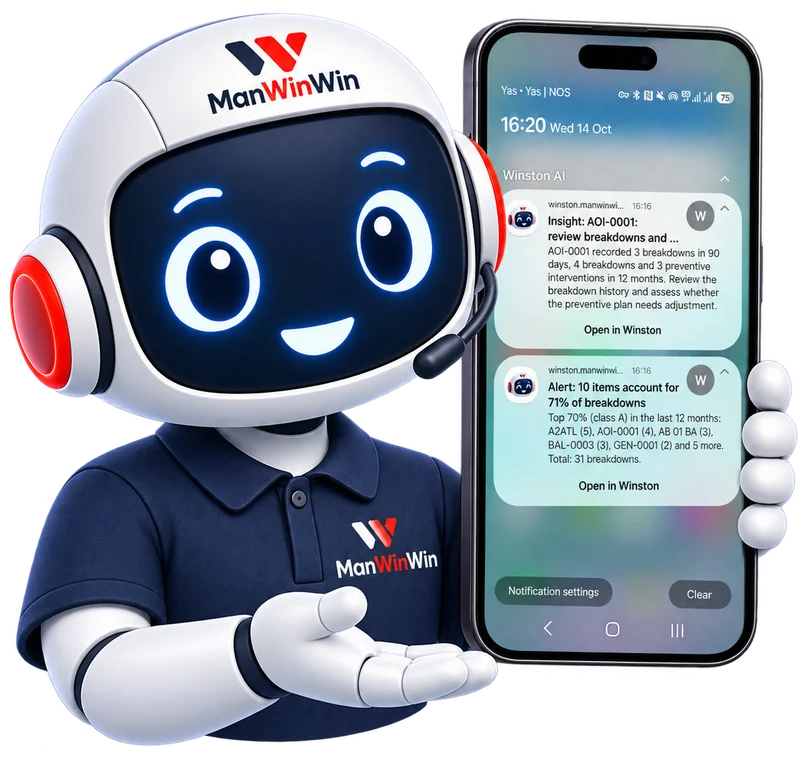
Push notifications
Winston warns you when something needs attention: repeated breakdowns, items causing most failures and preventive plans worth reviewing. Open the notification and keep the conversation going.
- Alerts and insights on your phone or computer
- Open in Winston with one tap
- You choose which alerts to receive
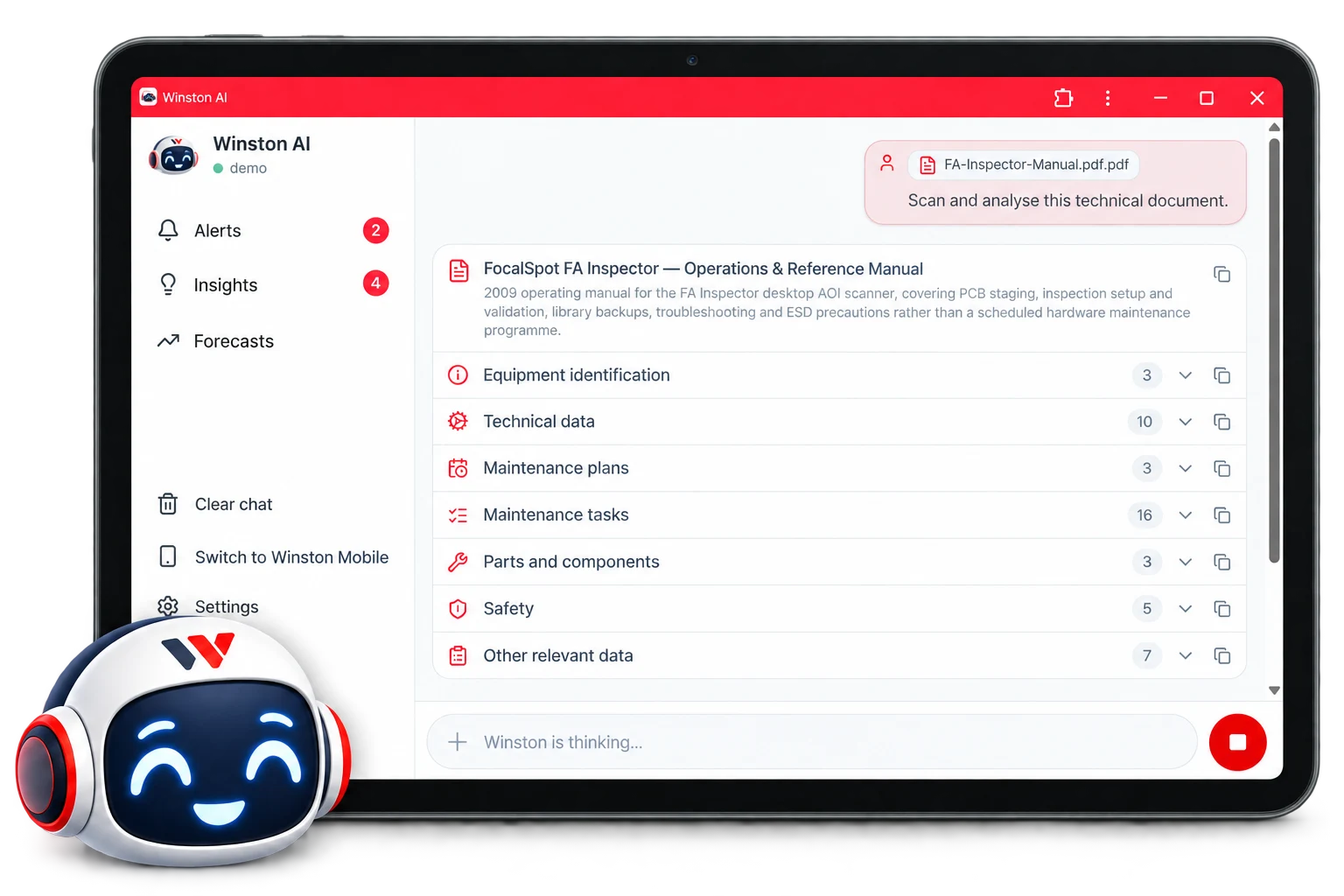
Technical document analysis
Upload a manual or technical sheet in PDF and Winston scans it for you: equipment identification, technical data, maintenance plans and tasks, parts and safety, each with the page where it was found.
- Results in sections you open and close
- Copy any section with one tap
- Keep asking Winston about the document
How it works
Up and running in minutes
Questions, answered
Winston Desktop and Mobile connect to your ManWinWin through the API. Anyone can talk to the website Winston to learn about ManWinWin.
Put Winston to work on your maintenance
See Winston with your own data in a personal demo, or start chatting right now.
Winston AIStarting…